

Before Adding Another Website Widget, Ask These Questions
Chat, booking, maps and embedded tools can help visitors, but each adds a dependency. Give every widget a clear purpose, owner and acceptance test.

- Connect each widget to a specific visitor task before adding it.
- Record the account owner, recurring costs and replacement process.
- Measure page behaviour with and without the integration.
- Keep a useful fallback when a third-party service is unavailable.
Give the widget a job, not just a place on the page
A chat bubble, booking calendar, map or social feed can look like a quick way to make a corporate website more useful. The important question is what happens after someone uses it. Who answers the chat? Which calendar receives a booking? Does the map help a visitor reach the correct entrance? A tool without an operational owner can create expectations the business is not ready to meet.
Write one sentence for each proposed integration: “This helps this visitor complete this task.” Then identify the existing alternative. A clear address and directions may already answer a location question. A staffed booking workflow may justify an embedded calendar. The decision should come from the task, not from filling an empty area in the design.
Create a small integration register
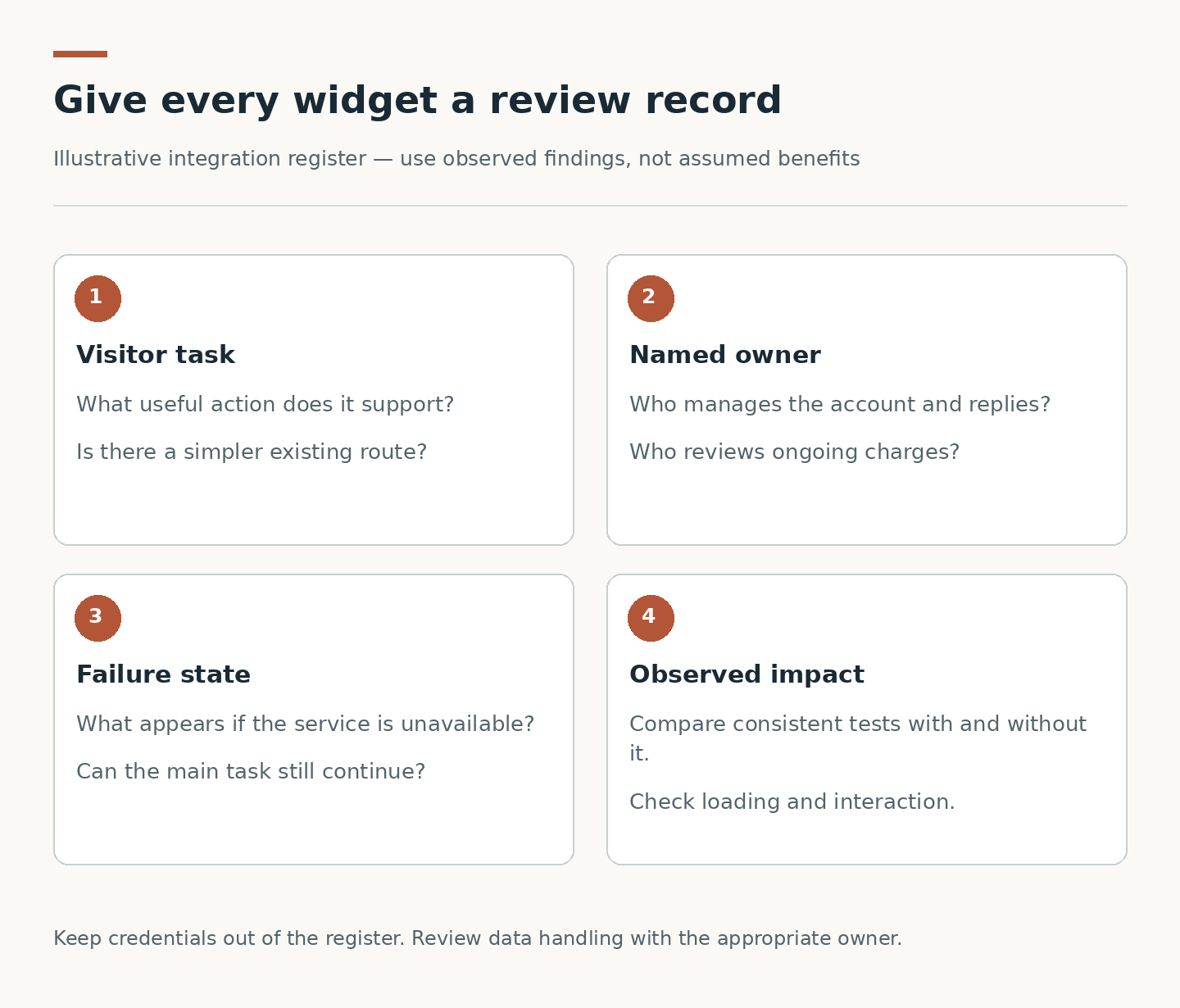
List the service, affected pages, account owner, purpose, recurring charge if any and renewal or review responsibility. Record who can change the configuration and how the website team will receive access through approved channels. Keep passwords and secret keys out of the content handover document.
Include dependencies that are less visible than a widget: analytics tags, consent tools and externally loaded scripts can also affect the page. The register is not an argument to remove everything. It makes the website’s moving parts visible so a future team can understand why they exist and who should be contacted when something changes.
Review what visitors are being asked to share
Walk through the integration as a visitor. Note the information requested, the destination service and any message explaining how the interaction works. Where personal information is involved, ask the appropriate business or privacy owner to review the arrangement and applicable requirements. Do not assume that an attractive embed has already been approved for your organisation.
Clarify whether visitors can complete the main website task without using the third-party tool. A phone number, ordinary contact route or link to the provider may be a useful alternative, depending on the service. The fallback should not quietly send information somewhere different from what the visitor expects.
Measure the cost to the page
Third-party scripts can affect loading and interaction. Web.dev recommends removing scripts without clear value or improving how necessary scripts are loaded. Its diagnostic guidance also describes testing with particular requests blocked to isolate their effect. These are reasons to measure the chosen integration, not evidence that every widget is slow.
Agree representative pages, devices and network conditions. Compare repeated tests with and without the integration, keeping other conditions consistent. Check more than the first screen: opening a chat panel, scrolling near an embed and interacting with navigation can reveal problems that a single page-load number misses. Ask for observed findings rather than an unsupported promise of a fixed speed gain.
Test the failure and awkward states
A third-party service can be slow, blocked or unavailable. Test what the page shows in those cases. It should not cover essential navigation with an empty panel, trap keyboard focus or prevent someone from reaching the main contact information. Long translated labels, small screens and browser zoom deserve attention too.
For a booking widget, test a full calendar and a cancelled or failed request. For chat, check the out-of-hours message and where unanswered conversations go. For a map, provide an address in text. These checks connect interface behaviour to the real service behind it; they are not a guarantee that the vendor will never fail.
Decide how the integration will be maintained
Before sign-off, name the person who checks vendor notices, handles subscription changes and approves replacement. Ask what happens if the account owner leaves or the provider changes its embed. Record a removal procedure that preserves the surrounding page and an alternative contact route.
Miracle’s website design and development service can be briefed with this integration register alongside page content and visual references. The CUHK strategic-plan case provides a verified example of website and video work being planned together, but it should not be cited as using any particular chat or booking vendor. A useful brief names your actual integrations, intended visitor tasks and unresolved ownership questions, so the proposed website reflects how your team will operate it.
Plan your website project
Explore Miracle website design and development
Related project: CUHK 2026–2030 Strategic Plan
Sources and further reading
Efficiently load third party javascript
Frequently asked questions
Should we remove every third-party widget to improve speed?
No. Keep tools that provide clear value and assess their actual impact. A useful integration with a sound implementation can be preferable to removing a necessary visitor function.
Can the developer approve a widget’s privacy arrangements for us?
Technical review can identify what the integration does, but business and privacy decisions need the appropriate owner. Confirm the intended data flow and requirements rather than treating installation as approval.
What should work if the widget is unavailable?
The rest of the page, navigation and essential information should remain usable. Agree a suitable fallback for the specific task, such as a visible address, contact route or clearly labelled provider link.
Planning something similar?
Talk to Miracle