

Website Accessibility Acceptance: What to Test Before Sign-Off
Build an accessibility acceptance pack around complete user journeys, reproducible findings and retest evidence, rather than an unexplained tool score.
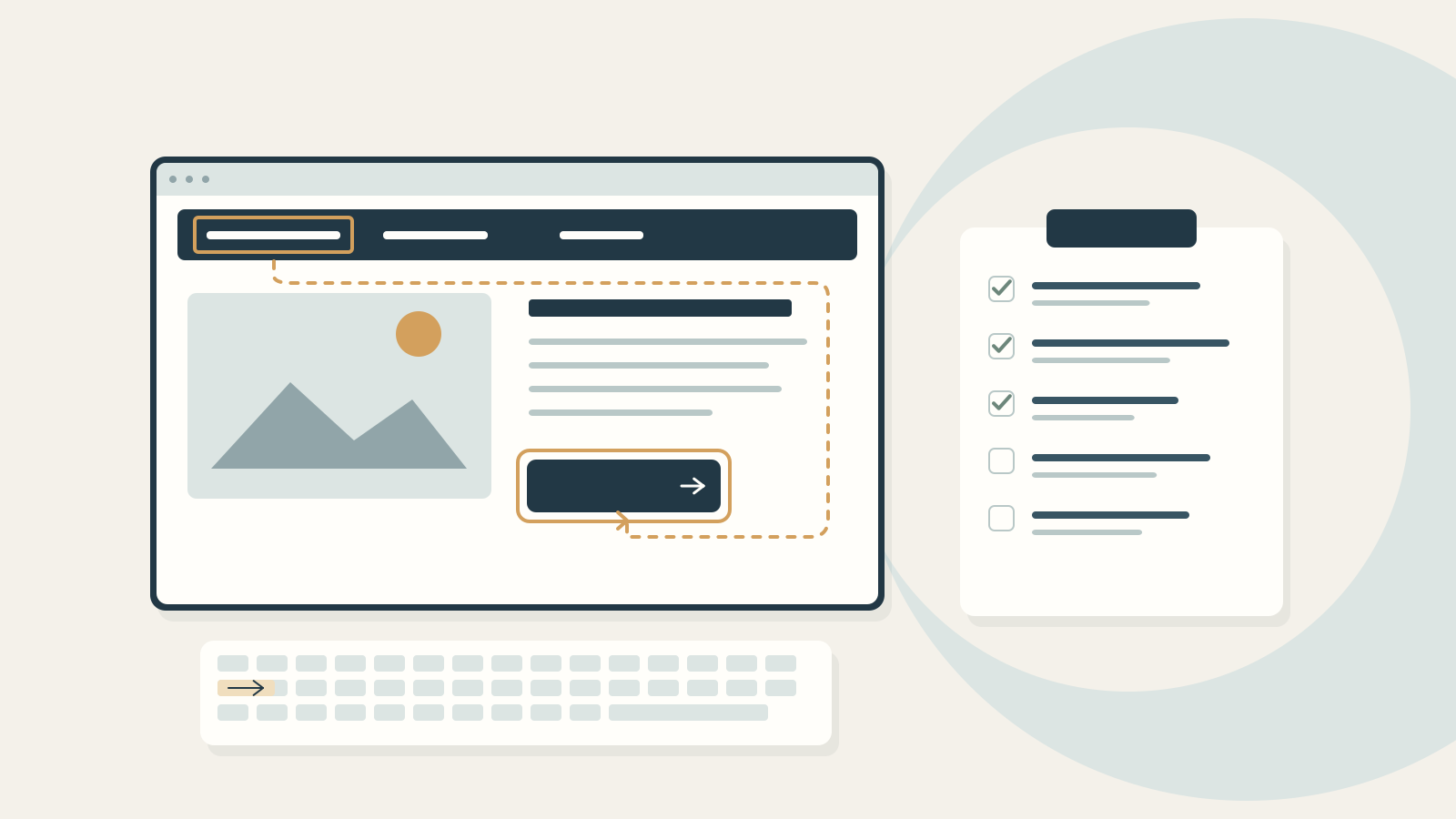
- Agree the standard, scope, states and evidence before testing begins.
- Combine automated checks with skilled manual evaluation and relevant user testing.
- A business release decision does not turn unresolved failures into WCAG conformance.
Ask what the sign-off actually establishes
“Accessibility checked” is not enough information for a website owner to approve a launch. You need to know what was evaluated, which criteria were used, what remains difficult for visitors and how fixes were verified.
This guide is for the person commissioning or accepting a corporate website. It helps you request usable evidence and manage decisions. The short checks below are not a complete accessibility audit, and a successful demonstration does not establish conformance.
Start by separating two questions: does the evaluated content meet the agreed accessibility requirements, and is the organisation accepting the release with any known limitations? Record both honestly. Commercial approval cannot make a failed criterion pass.
Name the standard, journeys and states
Write the WCAG version and conformance level into the acceptance brief, for example WCAG 2.2 Level AA where that is the agreed project target. Specify the site version being assessed, languages, templates, important journeys and supporting documents.
Ask the evaluator to explain how the sample represents the wider site. W3C’s WCAG-EM overview provides a structured evaluation approach, including scope, exploration, representative sampling, evaluation and reporting. A sample should be selected for coverage, not simply because those pages are easiest to inspect.
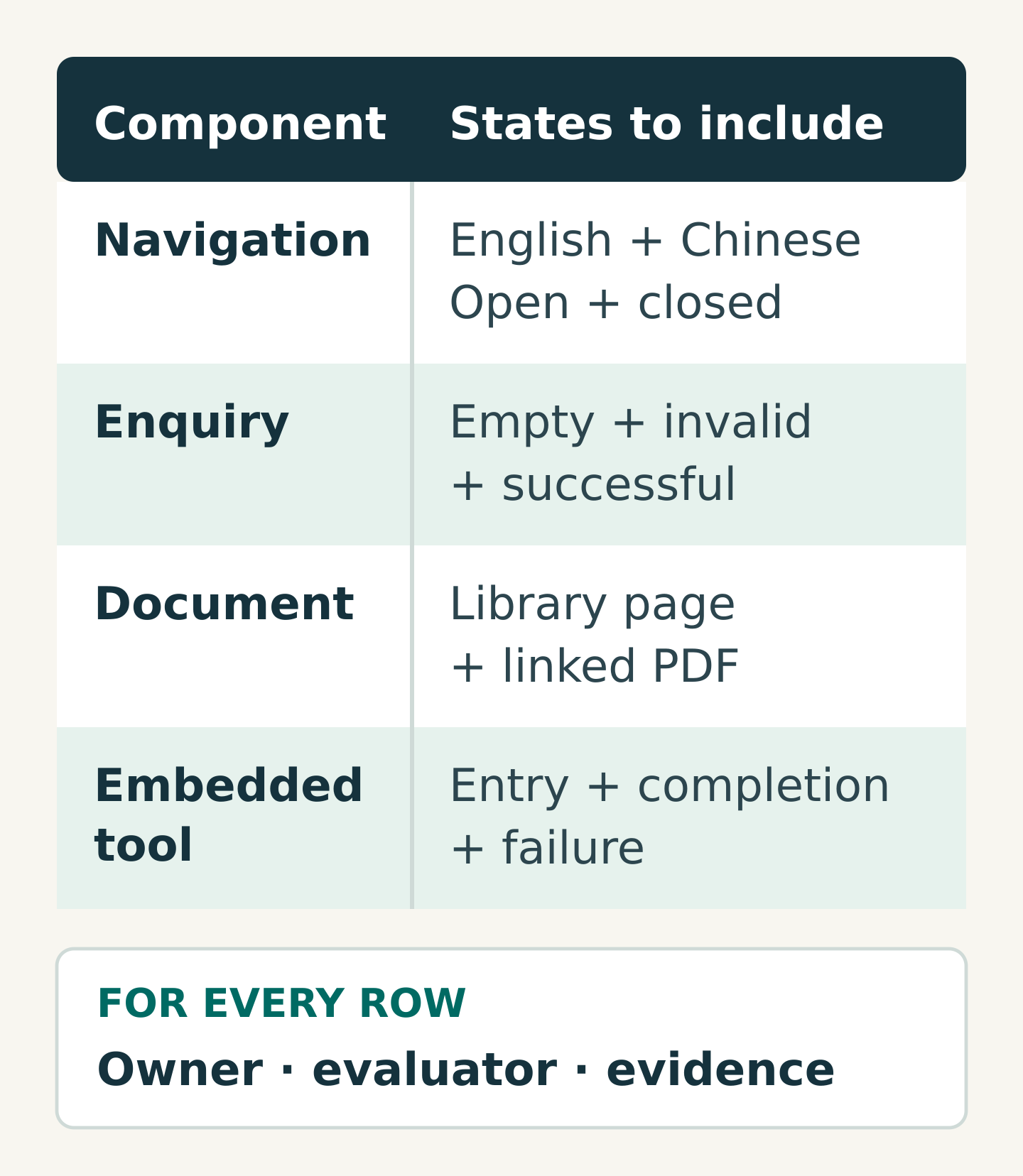
Include states that appear only during use: an expanded menu, an invalid form, a confirmation, an empty search result and a dialog. For a bilingual website, add examples in both languages. Identify PDFs, videos, embedded booking systems and other third-party components explicitly.
You can document work that has not been assessed, but do not imply that excluding it proves the whole journey conforms. WCAG’s conformance requirements address full pages and complete processes. Have the evaluator explain how any boundary affects the claim you can responsibly make.
Test a task from start to finish
Choose a visitor goal such as “find the relevant service and send an enquiry”. Ask the evaluator to follow the whole route, including errors and recovery, with the methods agreed in the test plan.
As a practical first review, check:
- Navigation: can a keyboard user reach and operate the menu, follow its links and leave it without getting stuck?
- Orientation: can the visitor identify the current page and understand the heading structure?
- Reading: when text is enlarged, does important content remain available and usable?
- Forms: are labels clear, required information identified and errors explained in a way the visitor can act on?
- Completion: is the outcome understandable, including to someone using the assistive technology included in the assessment?
These prompts draw on areas covered by W3C’s Easy Checks. W3C explicitly describes that resource as an initial review; a page can pass its checks and still have significant barriers. Ask an appropriately skilled evaluator to cover all applicable criteria, not just this short list.
Where assistive technology testing is included, record the browser, operating system, technology and versions. Testing with disabled users can reveal important experience problems; describe who participated and which tasks they attempted without treating a few participants as a substitute for the full evaluation.
Give automated and manual checks different jobs
Automated tools can surface issues across many pages and help check for recurrence. Skilled manual evaluation examines behaviour, meaning and context that an automated result may miss. W3C’s tools overview explains that some checks require human intervention and that tools can produce inaccurate results.
Request a report that distinguishes automated findings, manually assessed criteria and user-test observations. A single percentage score obscures those differences. If a scan has no reported errors, the next question is what it did not test.
Agree the test environment with the delivery team. Record anything that could affect results, such as a cookie banner, logged-in state or unavailable third-party service. Keep sensitive test data out of screenshots and shared issue records.
Write a defect that someone else can reproduce
Use this issue template:
- Reference and affected component
- Page address, language and relevant interface state
- Test environment and prerequisites
- Reproduction steps
- Observed behaviour and expected behaviour
- Relevant criterion, assessed by the evaluator
- User impact and agreed priority
- Fix owner, retest result and evidence
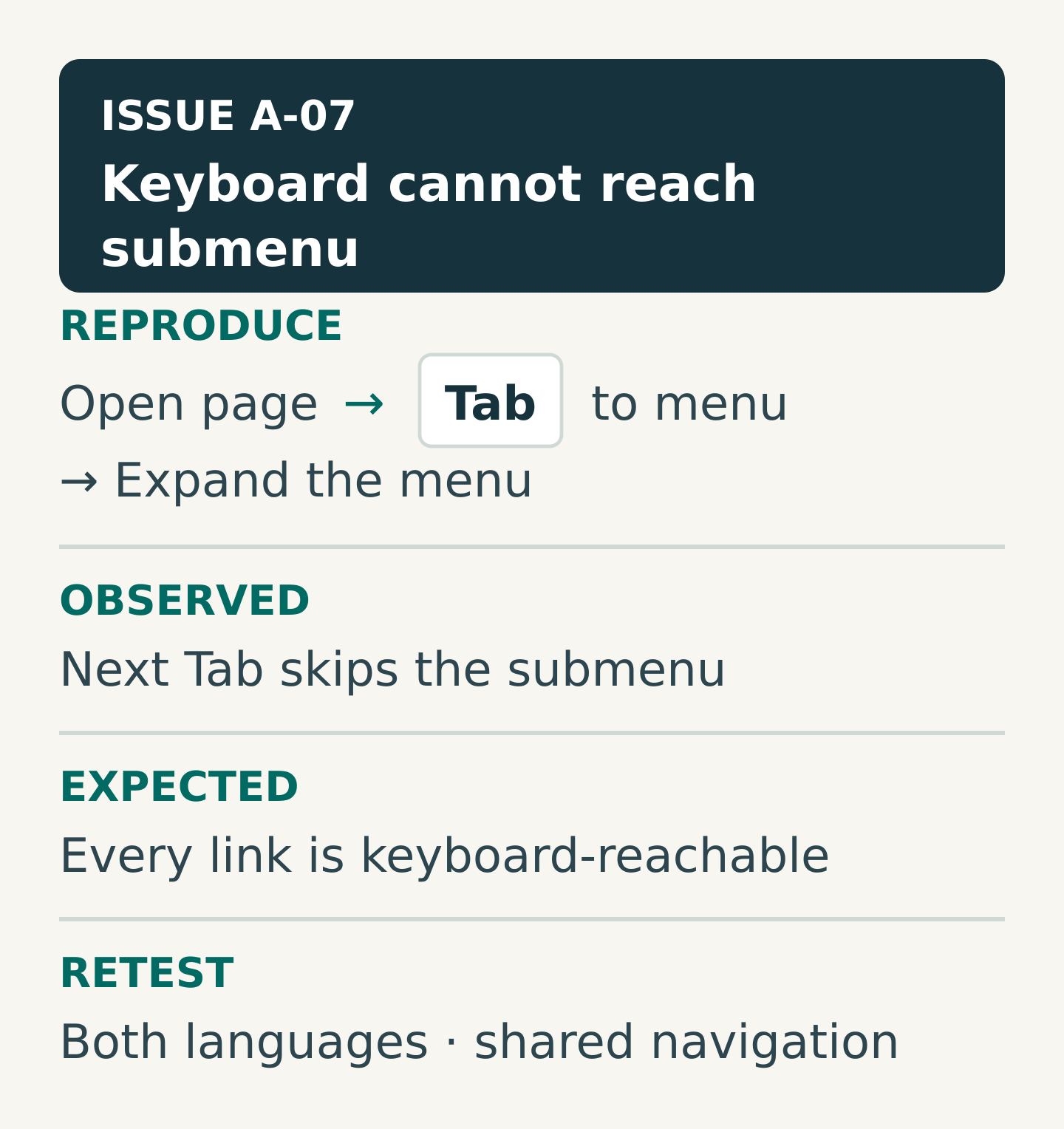
“Navigation inaccessible” leaves too much to interpret. A useful finding says that, after opening a named submenu with the keyboard, pressing Tab skips its links. Include the starting page and the exact control involved. The developer can reproduce it; the evaluator can repeat the same test after the fix.
Agree priority through user impact and reach. A shared component that blocks an essential task needs a different discussion from an isolated editorial inconsistency. Severity labels should have definitions, not depend on which person raised the ticket.
Worked example: a shared navigation failure
Imagine an English and Traditional Chinese corporate website with service pages, a document library and an enquiry form. In a hypothetical evaluation, keyboard testing finds that a submenu opens but its links cannot be reached. The same navigation component appears across both languages.
The evaluator records one component-level issue with affected examples and evidence. The developer fixes the component. Retesting then covers the original reproduction, both language versions and relevant responsive layouts; it also checks that opening and closing the menu still works as intended.
Separately, a linked PDF remains unevaluated. The team records that gap and assigns the document review. It does not quietly mark the PDF as passed because the navigation has been repaired.
The final report can now distinguish a verified fix from incomplete assessment. That distinction helps the website owner make a release decision without overstating what has been demonstrated.
Use a clear acceptance decision
Before sign-off, ask for one evidence pack containing the target standard, scope and sampling rationale, methods and environments, findings, retest records and unresolved limitations. Include the exact site version and evaluation date.
Apply three practical decisions to each agreed requirement:
- Verified: the assessed requirement passes, with recorded evidence.
- Needs correction: a failure remains and has an owner and retest route.
- Not established: evidence is missing or assessment is incomplete.
These are project-management labels, not substitutes for the evaluator’s formal reporting. A deadline does not turn “not established” into “verified”. If the organisation accepts a release with known issues, preserve the issues and reasons in the record and agree what happens next.
After launch, assign responsibility for changes to templates, content and third-party tools. An accepted version is a point-in-time result; later edits need an appropriate review process.
Your next step
Take one important visitor journey and list every page, state, language and document it touches. Ask your delivery team who will assess each part and what evidence will be available before acceptance.
Share that journey with Miracle when discussing accessibility in a website brief. It is a concrete way to establish scope, responsibilities and the review work needed before sign-off.
Frequently asked questions
Can an automated scan prove WCAG conformance?
No. Automated tools support evaluation but cannot establish every requirement on their own. Ask which criteria received skilled manual assessment and how the sample, full pages and complete processes were addressed.
Should PDFs and embedded tools be included?
Identify them in the scope and evaluation plan. If they support an essential task, a page-only check leaves a meaningful gap. Any unevaluated content or third-party limitation must remain visible, along with its implications for the assessment.
Does website acceptance guarantee future accessibility?
No. The evidence applies to the version and scope evaluated. New content, component changes and third-party updates can introduce barriers, so assign ongoing review responsibilities and a route for reporting and resolving problems.
Planning something similar?
Talk to Miracle