
What to Prepare Before Starting a Product 3D Animation
Build a shot-led asset pack for product 3D animation. Use the input checklist, worked example and gap decisions to prepare only the references the production needs.
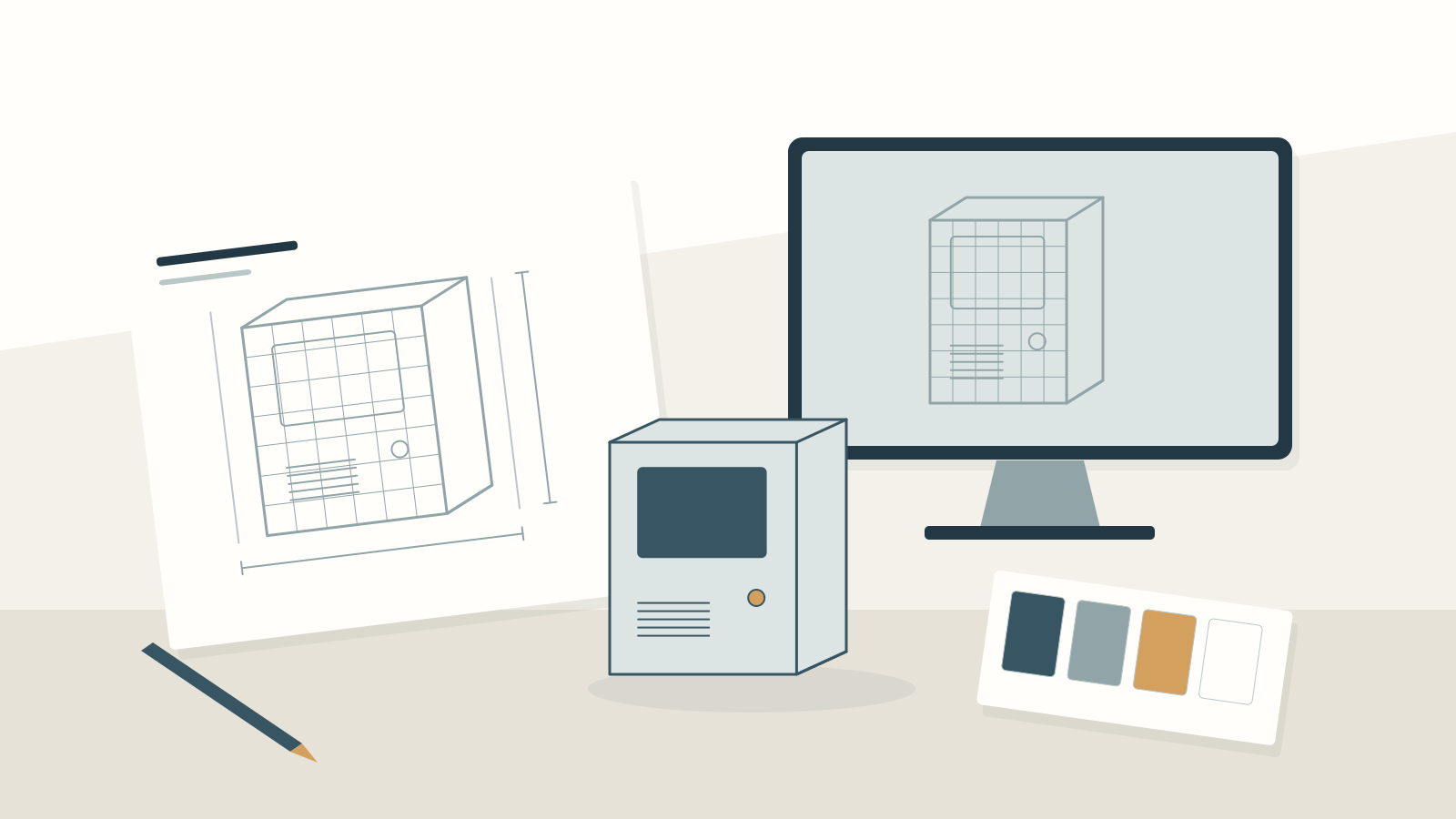
- Start with the intended shots, then decide which geometry, finishes and movements need evidence.
- Name one approved product revision and one person responsible for accuracy.
- Make missing information visible and agree whether to obtain it, simplify the shot or defer it.
Your team has product photographs, a large engineering folder and a launch date. That does not yet make a usable 3D animation brief. The animator still needs to know which product version to show, what the viewer should see and which references can be trusted.
The most useful preparation is a shot-led asset pack. Start with the views and movements the film needs, then assemble enough evidence to create and approve them. This avoids two common problems: transferring technical material that the project does not need, and discovering that a crucial hidden component has no reliable reference.
Use the checklist below to prepare for the production discussion. You do not need to solve every modelling question yourself.
Describe the shots before collecting the files
Write a short list of what the animation must show. “Make the product look impressive” leaves too much room for interpretation. “Show the front controls, remove the tank and reveal the filter position” gives the team something to assess.
Separate the planned views into three groups:
- Appearance: exterior shape, visible finishes, logos and labels.
- Operation: a component moving, opening, rotating or detaching.
- Explanation: an internal view, cutaway, exploded arrangement or illustrated process.
Each group asks for different evidence. A slow exterior turn may not need hidden assembly detail. A removal sequence needs a verified movement path. An internal explanation needs someone to confirm what belongs inside and which simplifications are acceptable.
Mark each proposed shot as essential or optional. If a reference is missing, that distinction helps the team discuss whether to obtain more information, simplify the view or remove it from the brief.
Establish one product baseline
Identify the model, configuration, market version and revision. A shared folder containing several similar products is not a reliable instruction, especially when a connector, label or accessory changes between versions.
Name a product owner who can confirm accuracy. List settled features separately from anything still in development. For each source file, record its owner, revision and purpose. If an older photograph is useful only for a surface texture, say so; it should not quietly become the shape reference for the current model.
Use an index rather than renaming technical files blindly. The index can state which document takes precedence when references disagree. Keep superseded references separate and clearly labelled, without discarding records your organisation needs.
Assemble five kinds of evidence
Geometry: ask whether CAD data or an existing 3D model is available. Send a description of the files first and confirm which formats the production team can assess. Request an early import or suitability check; a filename alone does not establish that the model contains the required parts or is ready for the planned work.
Dimensions: provide overall measurements, units and critical relationships. If photographs are the starting point, include clear front, rear, side and detail views, with a scale reference where appropriate. Identify estimated measurements rather than presenting them as verified dimensions.
Materials: connect each finish to a named part. Record colour references, gloss, texture, transparency and any variation across surfaces. Photographs from several angles can support the written description. If precise colour matters, agree the reference and review method; one uncalibrated screen image should not become an unexplained acceptance standard. Autodesk’s product-visualisation tutorial illustrates material assignment as a separate preparation task.
Artwork: supply current logos, labels and packaging graphics separately where available. State their position, orientation and which details must remain readable in the intended shot. Verify that the artwork belongs to the chosen market version.
Movement: describe the start position, sequence, direction, stop position and any relevant limits. A simple demonstration recording can help, provided it shows the approved product and intended operation. Label conceptual motion clearly so it cannot be mistaken for a real mechanism.

Worked example: a removable water tank
Imagine a hypothetical countertop appliance launch. The brief includes a hero view, a tank-removal shot and an exploded filter view. The team has a current exterior model, approved colour references and photographs of a prototype.
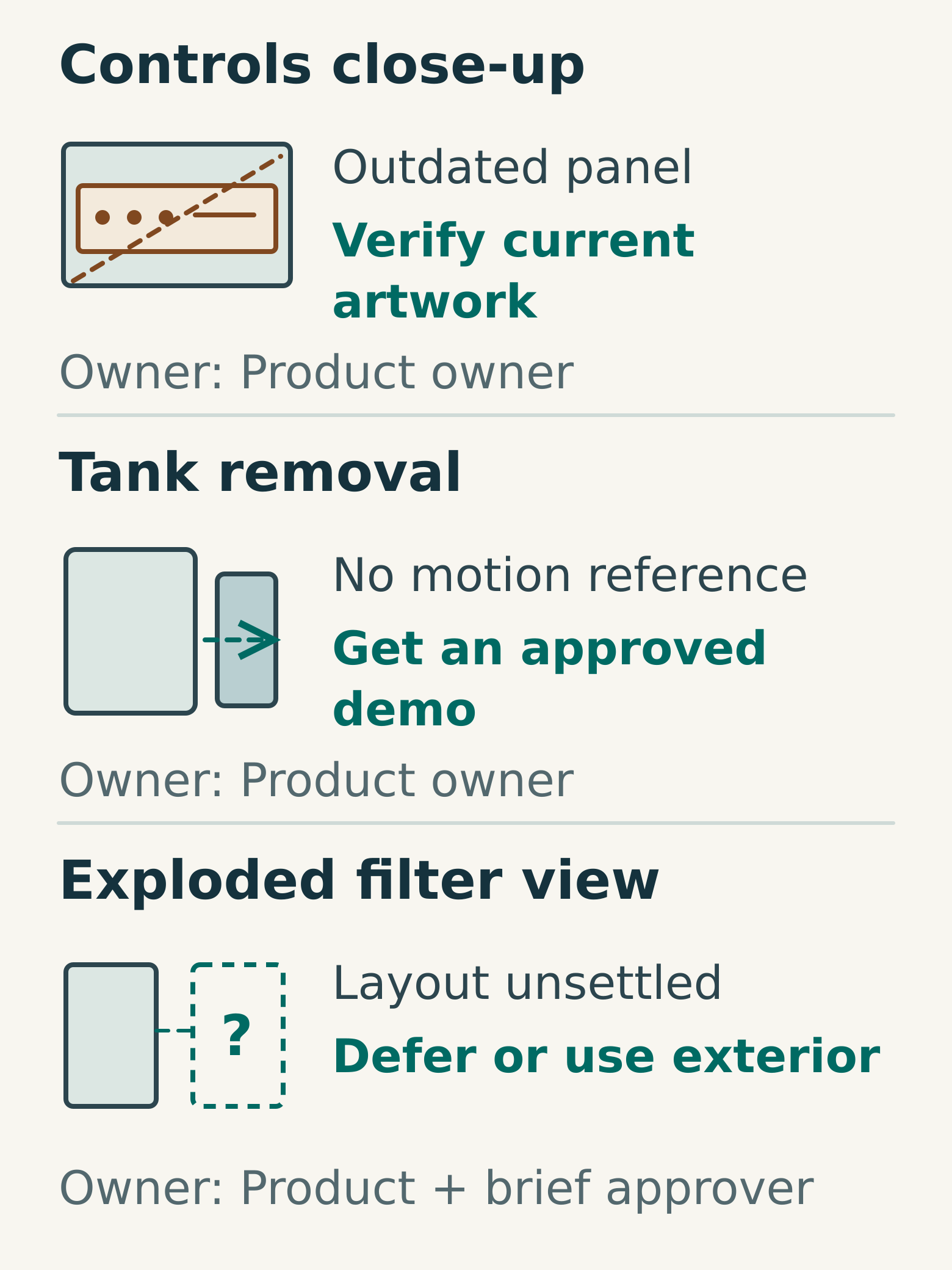
An asset review reveals three gaps. The prototype has an older control panel. The tank movement is undocumented. The internal filter arrangement has not been approved for the launch version.
The coordinator makes three decisions. First, the current artwork and product owner's reference become the authority for the controls; the prototype photographs are retained only for the tank surface. Second, a demonstration is requested to show whether the tank lifts, slides or uses a combined movement. Third, the internal view is held until the product owner confirms the arrangement.
If the internal arrangement cannot be confirmed in time, the team can discuss an exterior-only alternative. They should not invent plausible internal parts simply to keep the original shot list intact. This is a planning example, not a report of a client project or a promised production outcome.
Decide what each gap means
A useful gap list includes the affected shot, the missing evidence, its owner and the decision required. Avoid a general note saying “Assets incomplete”. It leaves the production team guessing which work can proceed.
Choose one of four actions for each gap:
- Obtain: the missing input is necessary and someone can supply it.
- Verify: a reference exists but its accuracy or revision is uncertain.
- Simplify: the shot can meet its purpose with less detail, subject to approval.
- Defer: the shot depends on an unresolved product decision.
Ask the production team which gaps affect their estimate or sequence of work. Record a resolution point that both sides agree. Do not assign a date solely because it makes the schedule look complete.
Copy this product asset brief
- Product, configuration, market and revision:
- Audience and intended takeaway:
- Essential shots and optional shots:
- Accuracy owner and final approver:
- Source index, file owners and approved transfer method:
- Geometry available and suitability check required:
- Confirmed dimensions and units:
- Materials linked to named components:
- Approved artwork and placement references:
- Movement sequence and demonstration references:
- Internal details that may be shown or simplified:
- Missing inputs, decision owners and agreed resolution points:
- Features still subject to product change:
- Expected outputs and review stages:
Before transferring technical data, confirm your organisation permits the selected recipient to receive it. Send only what the project needs through the agreed method. An animation brief is not a reason to include unrelated engineering documents, confidential commercial records or unrestricted access to the entire product archive.
Agree how accuracy will be reviewed
Ask to separate the checks that matter: shape and component position, movement, then materials and artwork. The exact sequence depends on the production approach, but reviewers should know what each preview can establish. An early shaded model may be useful for proportions while saying little about the final surface appearance.
For your next step, choose one essential shot and trace every visible feature back to an approved reference. Where that chain breaks, add a gap with a named decision-maker. Take the shot list and asset index to your initial production discussion; a large file transfer can wait until requirements and permissions are clear. Discuss your product animation brief with Miracle.
Frequently asked questions
Do we need a complete CAD model before asking for a proposal?
No. Begin with the intended shots and an honest inventory of available references. The production team can assess what needs to be built, checked or simplified. Avoid assuming that a complete engineering model is either essential or immediately usable for every animation.
What if the product changes during production?
Keep the approved revision visible and record the proposed change. Ask which models, materials, movements and shots it affects before replacing source files. Then agree the updated baseline, the work authorised to proceed and any effect on the delivery plan.
Can photographs be enough for a 3D animation?
They may be sufficient for some approaches, but the required evidence depends on the views, detail and accuracy expected. Provide clear angles, scale information and verified dimensions where available. Hidden geometry and operating behaviour need their own references rather than assumptions based on the exterior.
Planning something similar?
Talk to Miracle