

Live Action vs 2D vs 3D Animation for Corporate Videos
Choose a corporate or product video format by the message, available evidence and production constraints. Compare live action, 2D animation, 3D animation and hybrid approaches.

- Match the visual method to what the audience needs to see or understand.
- Compare production scope and available assets rather than ranking formats by price.
- Plan review stages and future updates before committing to a treatment.
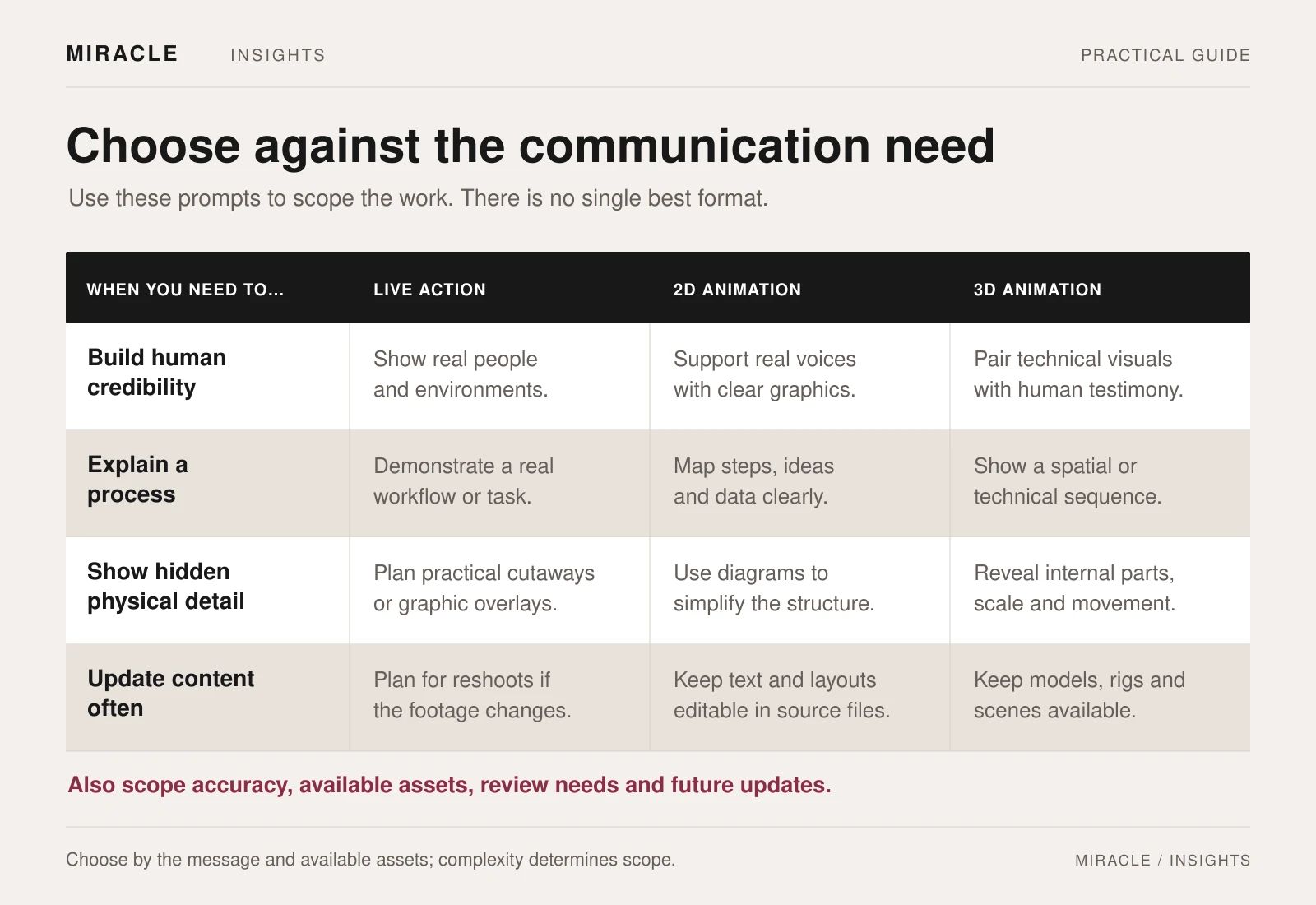
Use live action when real people, places or demonstrations are central to the message. Consider 2D animation for processes and abstract ideas, and 3D for shape, assembly or views a camera cannot easily capture.
A film can combine these methods. Choose the job of each section, then check the people, assets, production time and approvals it needs.
Compare proposed treatments against the same brief. None of these formats is automatically cheaper, faster or more effective for every corporate video.
Live action for people, places and observable demonstrations
Consider live action when the real subject matters: a company's people, a working environment, a physical service or a product being used. Interviews can let an expert explain a decision in their own words. Filming can show a sequence of actions and the context around them.
The practical questions concern access and readiness. Are the right people available? Can the location be filmed without disrupting operations? Is the product in a condition suitable for a close view? Who checks what may appear in the background?
A hypothetical recruitment film might combine staff interviews with scenes from the workplace. Its strength would depend on relevant stories, clear direction and suitable footage, rather than the fact that it uses a camera.
Distinguish observed activity from a staged demonstration, and make sure the content supports the claims being made. Filming a real person does not remove the need for factual review.
2D animation for processes and abstract ideas
Consider two-dimensional animation when the main challenge is explaining relationships, steps or an idea without a useful physical subject. Diagrams, typography, illustrated characters and motion graphics can guide attention through a structured explanation.
For example, a hypothetical business-service film could follow an enquiry through several internal teams. A clear visual system could show the handovers while keeping unnecessary detail out of the picture.
Start with the script, then test the sequence in a storyboard or timed rough version. Agree the visual language before producing every scene: icons, character style, text treatment, charts and transitions.
Do not assume all 2D work has the same scope. A film using a small set of moving diagrams differs from one with bespoke illustrated characters and detailed frame-by-frame performance. Ask which design and animation tasks the proposed approach includes.
Miracle's motion graphics and animation service is a starting point for discussing explainers, title sequences and animated information.
3D animation for form, spatial detail and controlled views
Consider three-dimensional animation when the audience needs to understand shape, assembly, movement or a view that is difficult to capture physically. A product might be shown in an exploded arrangement, from a carefully controlled angle or through a conceptual cutaway.
Clarify whether the images should look photographic, stylised or diagrammatic. Those are creative decisions with different production requirements. List the models, drawings, material references and product information available, and ask the team to assess what can actually be reused.
An engineering file is a source asset to inspect, not a promise that a finished animation can be produced immediately. The proposed workflow should explain any preparation, modelling, materials, animation and rendering required.
Rendered animation involves producing a sequence of frames, as described in Blender's rendering documentation. Build review stages into the process before final output, particularly for product shape, movement and materials.
Where a view is conceptual or simplified, label it appropriately. Do not use an attractive animation to imply a product capability that the approved technical information does not support.
Hybrid films when different parts need different methods
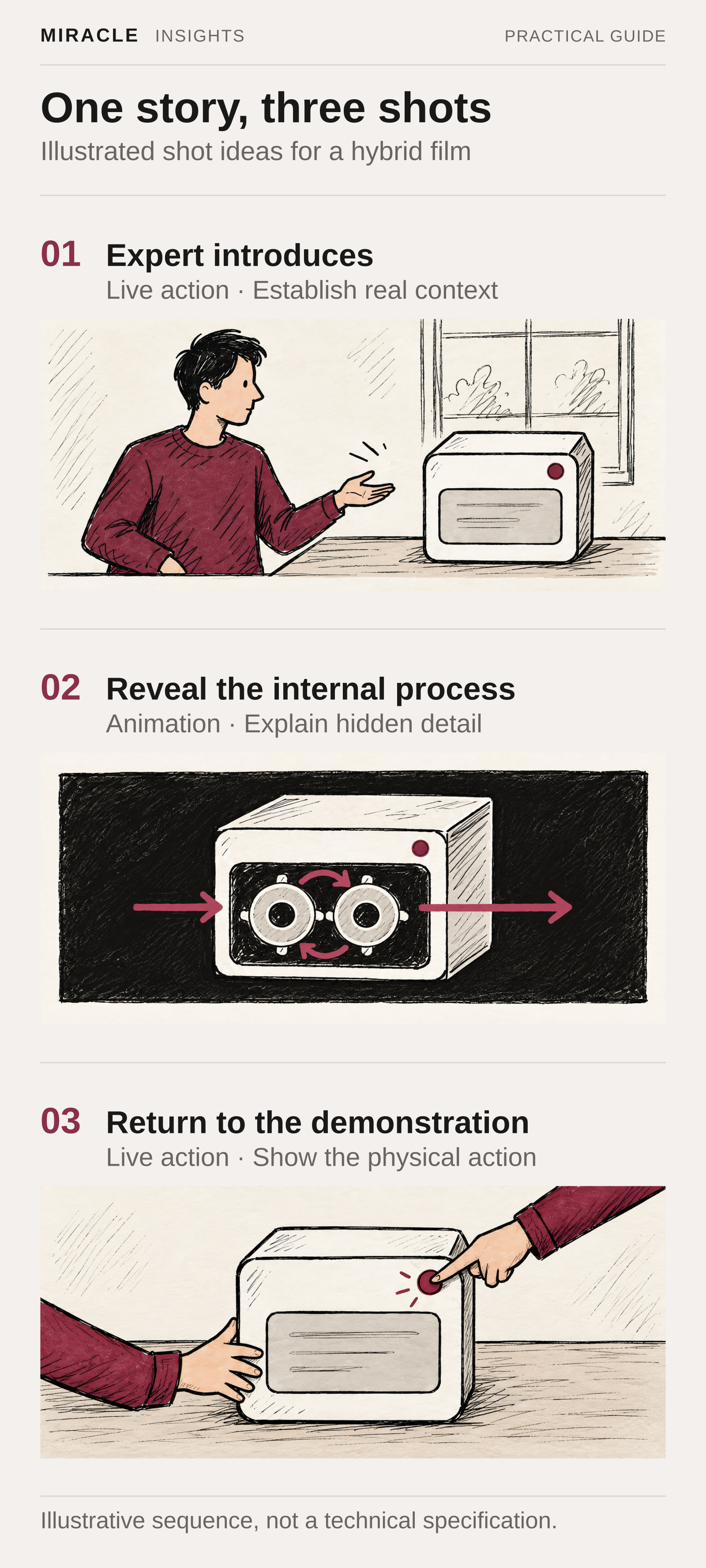
A hybrid approach can combine an interview or filmed demonstration with animated explanation. For example, an expert might introduce a product on camera, followed by an animated sequence showing an internal process, then a return to the physical demonstration.
Each method should have a clear job. Agree how the sections will share typography, colour, pace, sound and terminology so the film feels coherent.
If animation must interact with filmed footage, discuss that relationship before the shoot. The production teams need to agree the reference material and filming requirements together. Adding a complex visual effect after unrelated footage has been captured is a different assignment from planning it into production.
Miracle's video production service is a starting point for defining filming, post-production and final delivery within a hybrid-film brief.
Use five questions to choose a direction
What must the audience believe, understand or do?
Write the single most important communication task. If the answer is vague, changing the visual format is unlikely to resolve the brief.
What needs to be shown as real evidence?
Identify the people, locations, working product or approved information that matter. Separate evidence from illustrative explanation.
What usable assets already exist?
List footage, approved photography, brand artwork, product models and technical references. Have the production team inspect them before treating them as ready-to-use material.
What is likely to change?
A spokesperson, product finish, interface, statistic or language version can create different update requirements. Ask the supplier to explain how likely changes would be handled within the proposed structure.
Who must approve the work?
Identify the reviewers for the script, factual accuracy, brand treatment and technical detail. Give them appropriate checkpoints so a fundamental issue is discovered before the final film.
Compare treatments on the same deliverables
Ask suppliers to propose approaches against the same audience, message, running time, channels and language requirements. Request a short explanation of why each format suits the brief, what it needs from your team and which assumptions affect delivery.
For live action, review access, people, shoot requirements and edit scope. For 2D, examine the amount of illustration, animation and text variation. For 3D, examine asset readiness, scene complexity and the level of visual finish. For a hybrid, check the coordination between those workstreams.
Agree what you will review at each stage and what changes remain practical after approval. A storyboard, style frame, rough animation and finished render answer different questions; reviewers should know what they are being asked to approve.
Start with the communication problem
Send Miracle your video brief with the audience, main message, intended channels, available footage or product assets and target delivery date. Include visual references and explain what you like about them, so the format discussion can focus on your actual requirements.
Frequently asked questions
Is 2D animation always less expensive than 3D?
No. Complexity, originality, duration, existing assets and revisions all affect scope. Compare defined treatments rather than using the format label as a price estimate.
Can we make 3D animation without a product model?
Ask the production team what references are needed to create one. Confirm modelling, technical review and asset ownership in the scope before proceeding.
Which format is easiest to update?
It depends on what changes and how the project is structured. Identify likely updates in the brief and ask for a practical maintenance approach, including editable assets and usage terms.
Should a corporate film use only one format?
Use a combination when it helps the explanation and fits the production plan. Avoid adding another technique solely for visual variety if it does not serve the message.
Planning something similar?
Talk to Miracle