

CMS Training That Ends with a Confident Editor
Turn your CMS handover into five practical publishing exercises, with a reusable task card, role checks and clear evidence for sign-off.

- Agree observable publishing tasks before the training session.
- Test editors with their real permissions and the delivered workflow.
- Separate training gaps, content decisions and system faults before sign-off.
Choose the work your editors must do
A CMS handover can feel successful while the presenter is driving. The real test comes a week later, when an editor needs to replace a brochure, correct an announcement or prepare a Chinese version without accidentally changing the live page.
If you manage a corporate website, ask for a small acceptance pack built around that work. It should tell you which tasks the team can complete, where it still needs help and which issues belong with the delivery team. Attendance alone tells you none of this.
Choose tasks with the communications team and its backup editor. Use the delivered system and normal role permissions. An administrator demonstrating a shortcut does not show that an editor can use the approved publishing process.
Prepare a safe workspace, clearly marked sample content and approved test files. Agree how previews are accessed, whether any exercise may publish, and who removes the test material. Do not use confidential announcements or customer records simply to make training feel realistic.
Build the session around five exercises
- Update an existing service page. Change its introduction and one internal link. Save, preview and compare with the approved copy. The exercise passes when the intended fields change without altering unrelated content or publishing prematurely.
- Prepare a news item. Add a title, summary, image and meaningful link text. Check the image crop and reading order on a phone-sized preview. Ask the editor to explain the image’s purpose before choosing alternative text; the W3C image decision tree helps distinguish informative and decorative uses.
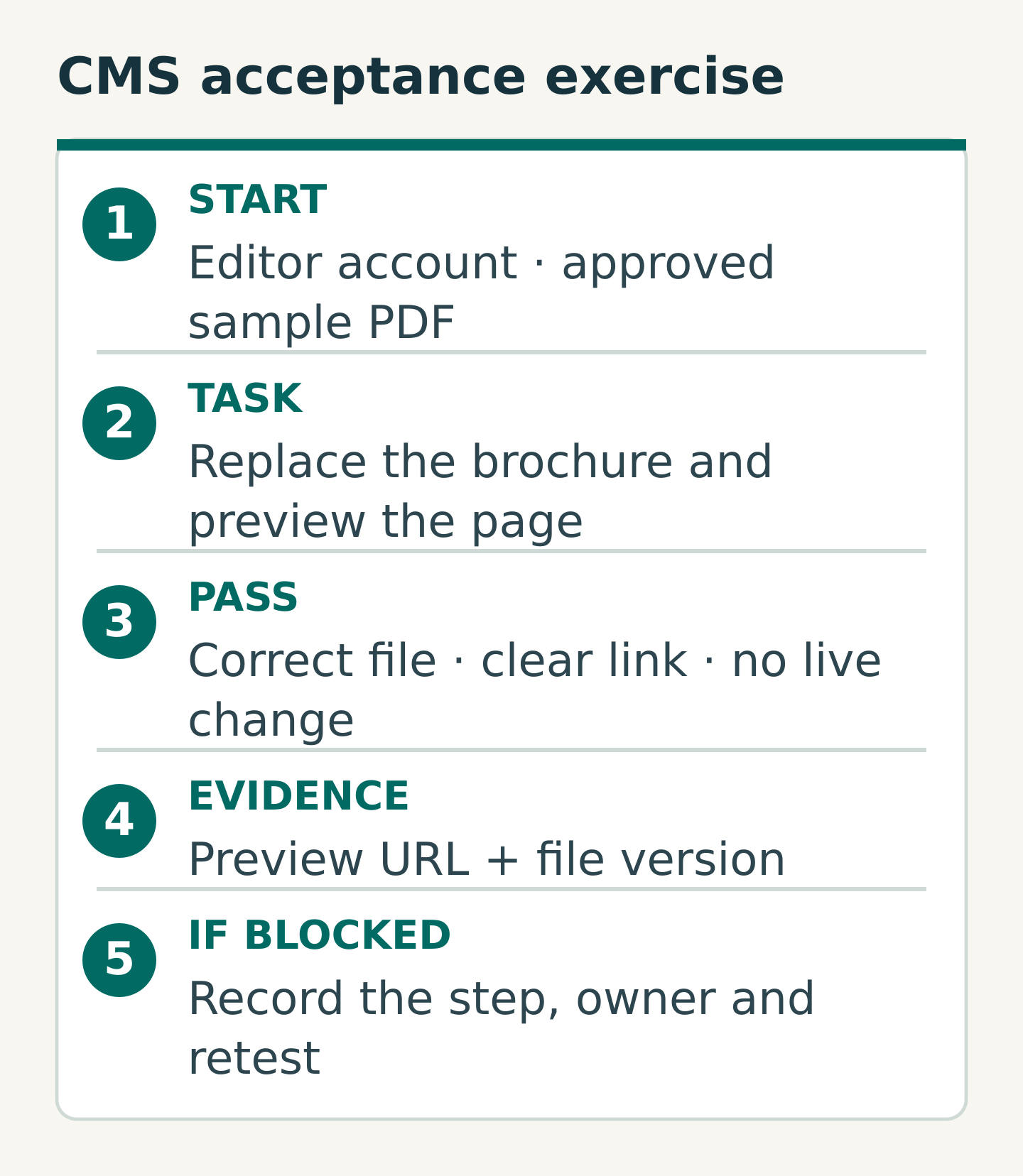
- Replace a download. Add the approved sample PDF and confirm its version, link label and visitor-facing destination. Check another page that uses the same asset. The editor should discover whether replacement affects one reference or several before doing it on live material.
- Prepare the language counterpart. Create or update the Chinese version using the actual workflow. Check headings, navigation labels, linked files and the language switch. Record what happens if one version is ready before the other.
- Correct or withdraw an item. Introduce a harmless date error in the test content, then use the agreed correction procedure. If revision recovery exists, test it. Otherwise practise the documented alternative and escalation route.
Treat these as a starting set. A team that regularly manages events may need registration closure instead of news creation. Choose tasks that expose its real publishing risks.
Copy an exercise card before the session
Use one card per task so that instructions and results do not disappear into meeting notes.
- Exercise ID and task: what the editor must accomplish
- Starting conditions: account role, sample page, approved source file and environment
- Instruction: one clear request, written without click-by-click coaching
- Pass conditions: what must be visible at the end, and what must remain unpublished
- Evidence: preview address, file version and any necessary screenshot
- Result: completed independently, completed with help, or blocked
- Follow-up: issue, responsible person and agreed retest
For example, “Replace the sample brochure on the test service page” is only half an instruction. Add: “Use version B, retain the agreed link wording, confirm the download opens, and leave the page unpublished.” The finish is now observable.
Allow the editor to use the reference guide. Everyday competence includes finding reliable instructions. Record whether help came from the guide or from a facilitator; that distinction shows what the handover material needs to explain better.
Rehearse the handover between people
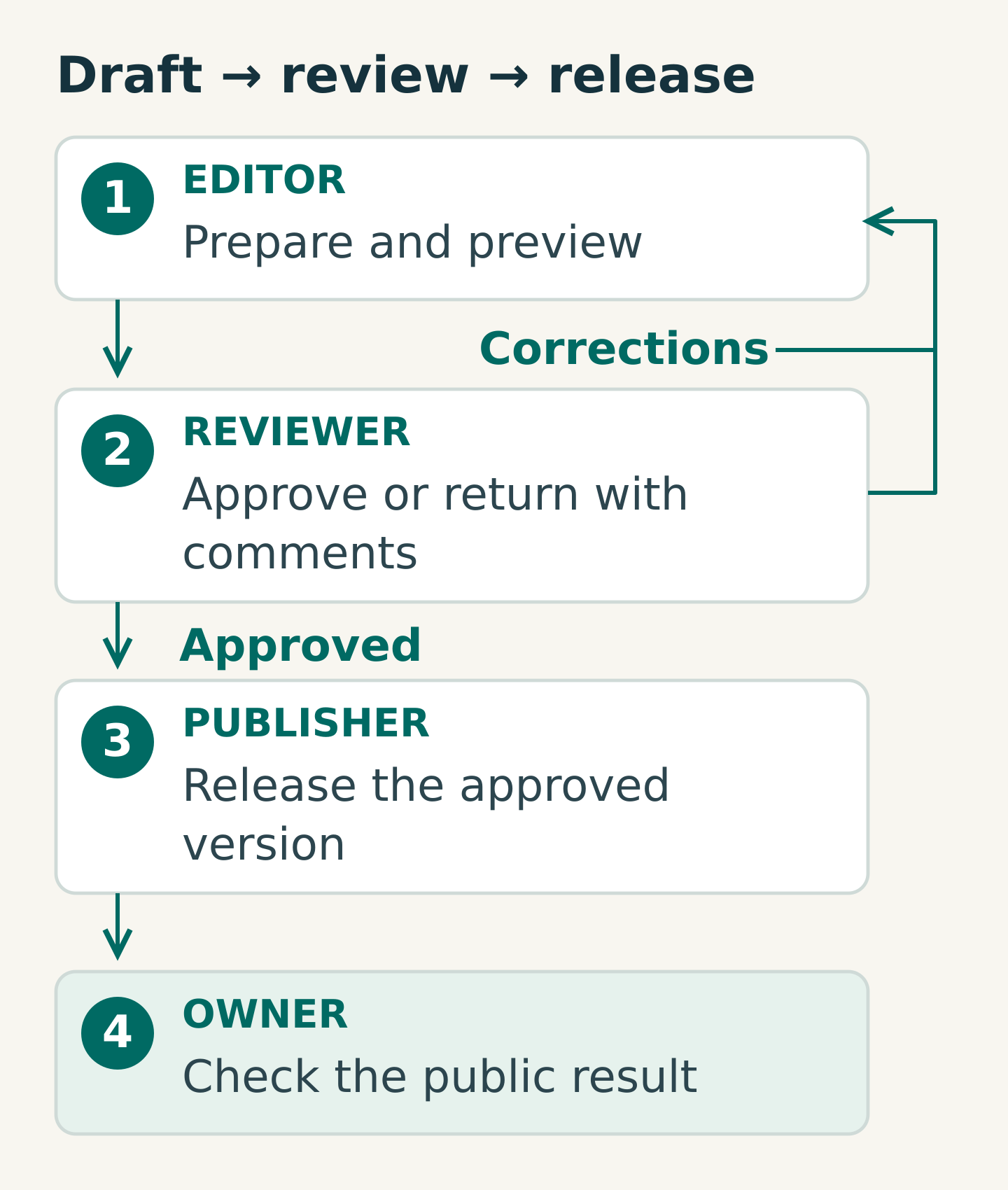
Test the route from draft to release, even if approval happens outside the CMS. Name the editor, reviewer, publisher and person checking the public result. A small team may assign several roles to one colleague, but the responsibilities still need to be explicit.
Ask the reviewer to return one item for correction. Can the editor identify what changed, find the current approved version and send it back without losing comments? Can an absent approver be replaced through an agreed route? These questions often matter more than learning another formatting button.
Do not grant broad permissions just to make the session run smoothly. If the intended role cannot perform an agreed task, record a permissions issue. If a requested workflow was never included in the project, record a scope decision rather than implying that training will supply the missing feature.
Worked example: a bilingual event announcement
Imagine a Hong Kong professional-services firm with two editors and one approver. Its acceptance exercise uses a fictional event, an approved English draft, a Traditional Chinese draft, a sample image and a labelled test PDF. Nothing is intended for public release.
The first editor builds the English draft and previews it on mobile. The second prepares the Chinese version and checks the language switch. The approver spots a deliberately incorrect date and returns the draft. Each editor corrects the relevant version, then confirms that the preview and PDF refer to the same event.
Suppose the English correction is straightforward, but the Chinese download still opens an earlier file. The team investigates the asset reference instead of marking the whole exercise “training completed”. If the editor selected the wrong file, the guide needs a clearer verification step. If the CMS saved the right selection but serves the wrong asset, the delivery team needs a reproducible defect.
The exercise ends with evidence and a specific follow-up, not a judgement about whether someone is “good at the CMS”. This is a hypothetical scenario, not a client result.
Separate the gaps before sign-off
Use three categories when reviewing results:
- Knowledge gap: the task works, but the instructions or practice are insufficient. Improve the guide and repeat it.
- System or permissions issue: the agreed task cannot be completed as delivered. Record the steps, expected result, owner and retest.
- Content or governance decision: the team has not decided who approves, which language goes first or what may be withdrawn. Resolve that decision with the responsible owner.
Your final acceptance record should list the required exercises, named participants, results, unresolved issues and any specifically agreed limitations. Agree which failures prevent acceptance before testing begins. Do not silently convert a blocker into a pass because the launch date is approaching.
Keep the reference guide short and recognisable: screenshots of the delivered interface, five common tasks, recovery instructions and a support contact. Name its owner so it stays useful after a CMS update.
Your next step
Before the next handover meeting, ask an editor and approver to choose five tasks they expect to perform in their first month. Turn the riskiest one into the exercise card above and ask the delivery team to confirm its pass conditions.
Bring that task list to Miracle when discussing a website handover. It gives the conversation a practical starting point: the work your team needs to carry out confidently after launch.
Frequently asked questions
Who should attend CMS training?
Include the people who will edit, review and publish, plus a backup where possible. Give each person exercises that match their responsibilities. A manager can observe the results without taking the editor’s place at the keyboard.
Is a recording enough for handover?
A recording is a useful reference, especially for an infrequent task. Pair it with short written instructions and independent exercises. Rewatching a demonstration does not establish that the editor’s account, permissions and approval route work.
What should happen if an exercise fails?
Record the exact blocked step and decide whether it is a knowledge gap, a system issue or an unresolved business decision. Assign the next action and retest. Use the acceptance conditions agreed for the project rather than inventing a pass threshold during the session.
Planning something similar?
Talk to Miracle