

Bilingual Website Redesign in Hong Kong: A Brief and Launch Checklist
Plan a bilingual website redesign with an editable brief, content inventory and launch checklist covering languages, CMS editing, old links and handover.

- Define priority visitor tasks and content responsibilities before requesting a proposal.
- Test language switching and real editing tasks with the people who will maintain the site.
- Use a written acceptance record and handover checklist to support the launch decision.
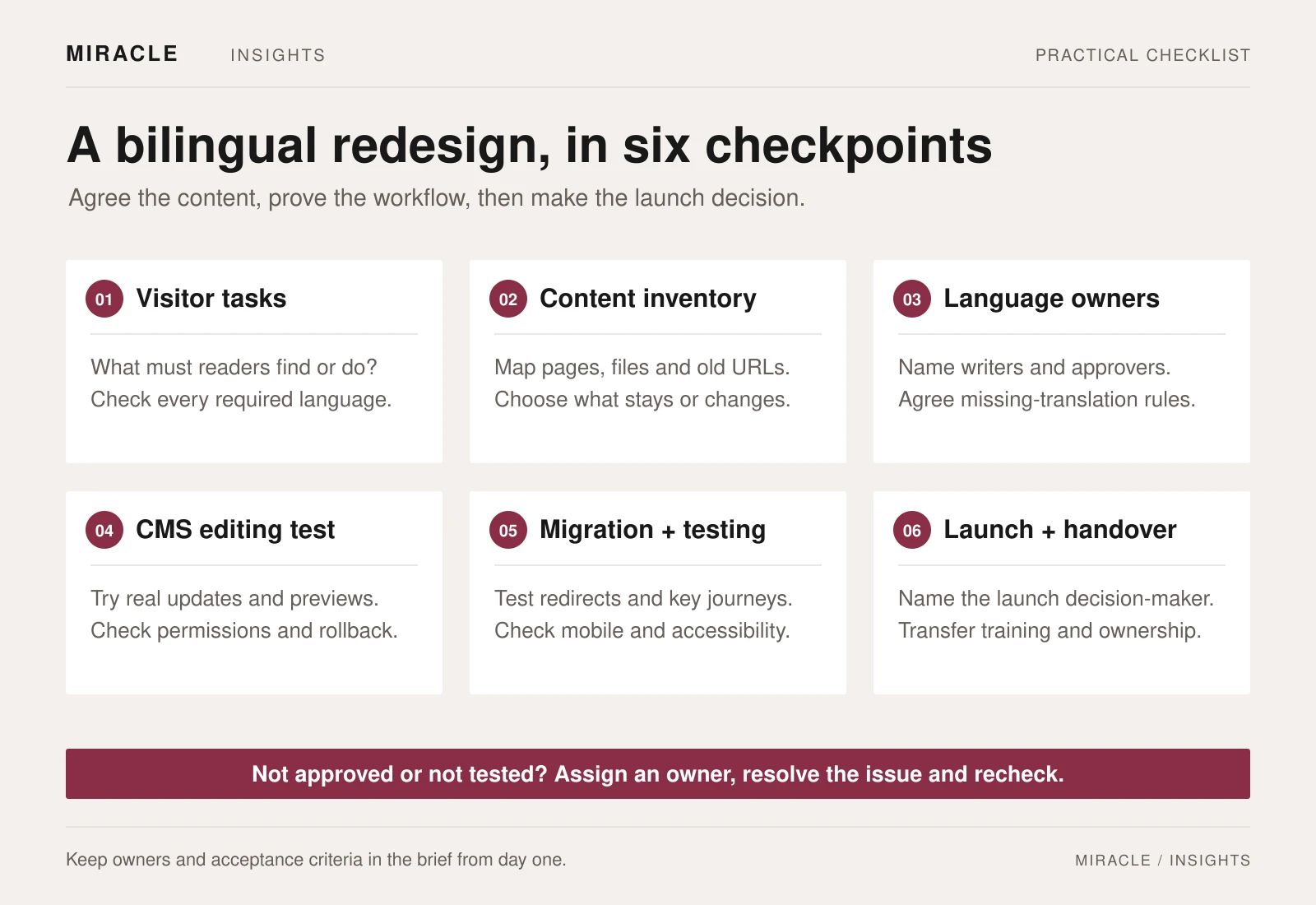
A bilingual website redesign brief should settle six things before design begins: the tasks visitors need to complete, the content in each language, who approves it, how staff will edit it, what happens to old links, and what must pass before launch.
Start with those decisions and suppliers can explain what they are pricing. Your team also gets a practical way to judge the finished website.
For a Hong Kong organisation, that may mean English and Traditional Chinese. Add another language when there is a defined audience and someone responsible for maintaining it.
Use the working template: Download the editable website brief and acceptance checklist. It includes a content inventory, language responsibilities and checks to record before launch. The sections below explain how to use it.
1. Define what visitors must be able to do
Choose three priority tasks. For a professional-services business, they might be finding the right service, assessing relevant work and sending an enquiry. A membership organisation may prioritise eligibility information, applications and document downloads.
For each task, write down the visitor, their starting point and a successful outcome. Include the languages needed.
Hypothetical example: A prospective member arrives on a Chinese service page from a search result. They need to check eligibility, download the current application form and contact the right team. The redesign must support that complete journey, including the form and confirmation message.
Bring evidence such as common questions, search queries or pages people already use. Label an assumption if you have not checked it. “Make the website more modern” gives a designer less direction than a specific journey that currently breaks.
2. Count content work as well as pages
A website with 30 pages can require very different work depending on how much content is ready. A page count will not tell a supplier whether copywriting, translation, document updates or migration is included.
Create a content inventory with these fields:
- Current URL and proposed destination
- Page purpose and content owner
- Required languages and approval status
- Action: keep, rewrite, merge, archive or remove
- Forms, images, video and downloads attached to the page
Include pages outside the main navigation. An old campaign URL may still appear in a newsletter or printed QR code.
Hypothetical inventory entry:
- Page: membership eligibility
- Action: rewrite
- English: approved
- Traditional Chinese: awaiting review
- Application PDF: needs replacement
- Sign-off owner: membership team
That entry exposes work which “one membership page” would miss.
Use representative content in early designs: a long Chinese heading, a detailed table, a service page and a download listing. Ask the team to show those examples on a phone before approving the layouts.
3. Give each language a clear approval route
Name the people who write, translate, check terminology and approve each version. They may be different people. A short shared glossary can keep organisation names, job titles and service names consistent.
Agree what happens when one language is ready first. Will publication wait, or can one version go live with a clearly explained alternative for the other audience?
Record the rule rather than leaving an empty translation to decide the experience.
For language navigation, require an equivalent-page switch wherever a matching page exists. If a visitor switches language halfway through a service journey, check where they land.
Google recommends separate URLs for language versions and appropriate hreflang annotations. It also advises against redirecting visitors automatically based on an assumed language. Ask the development team to explain and test its approach.
4. Test the CMS with the person who will use it
A content management system should fit your everyday work. Ask an actual editor to complete these tasks during a demonstration:
- Update a service description in each language.
- Replace an image and edit its alternative text.
- Upload a document and label its title and language.
- Preview a draft without publishing it.
- Submit a change for review and restore an earlier version.
Mark each task as demonstrated, unavailable or requiring a different workflow. Ask which features depend on paid services and which changes still require a developer.
Useful acceptance wording: “Our communications editor can replace the English and Chinese application PDFs, preview the changes and submit them for approval using their assigned account.” This is easier to test than “the CMS must be user-friendly”.
If you are comparing approaches, Miracle’s website design and development service is a starting point for discussing the work your team needs to own. The CUHK strategic-plan project can also provide a visual reference when a website sits alongside publications and film.
5. Give old links an intentional destination
Keep useful URLs where practical. For those that change, prepare an old-to-new mapping covering pages, downloads and language versions.
Ask the development team to implement the appropriate permanent redirects and update internal links. Test the destinations, including URLs used in campaign material.
Google’s site-migration guidance cautions against redirecting many unrelated old URLs to the homepage. A relevant replacement is more useful to a reader following an existing link.
Assign an owner to check indexing and broken links after launch. A redesign does not guarantee improved rankings; record a baseline so later changes can be investigated.
6. Turn launch approval into a record of tests
Test real pages in both languages on the agreed phones, browsers and desktop sizes. For every issue, record the page, expected behaviour, observed result, owner and retest status.
At minimum, check:
- Priority journeys can be completed in each required language.
- Language switches reach the corresponding page or agreed fallback.
- Enquiry forms validate inputs and reach the intended inbox.
- Downloads open and carry the correct language and version.
- Navigation and key forms work with a keyboard.
- Focus is visible, text can be enlarged and form labels remain clear.
- Images and media have the agreed alternatives.
- Old URLs reach the planned replacement.
Use non-sensitive sample data for form tests. A screenshot of a success message does not prove that the enquiry reached its recipient.
Agree an accessibility target and evaluation method in the scope. W3C’s Easy Checks is a useful starting point, but a short checklist or automated score does not establish comprehensive accessibility.
7. Plan the handover before the launch date
Name the owners of the domain, hosting, CMS, analytics and third-party subscriptions. Include editing instructions, training, backups, renewals and the agreed support arrangements. Transfer credentials through an approved secure channel.
Record who authorises launch, which unresolved issues would block it and who can restore the previous site if needed. Separate fixes to agreed requirements from new requests.
The editable brief and checklist gives you space to record these decisions. Replace its prompts with your requirements, then send the same version to each prospective supplier.
Ready to discuss your redesign
Send Miracle your current website and completed brief. Include your required languages, priority visitor tasks, content readiness and launch constraints so the conversation can start with a clear scope.
Frequently asked questions
Should every page be translated?
Decide by audience and purpose. Prioritise essential journeys in each required language, including forms and downloads. Document exceptions and the fallback for a missing version so visitors do not reach an empty or misleading page.
Do English and Chinese need separate content management systems?
Not necessarily. Ask suppliers to demonstrate how their proposed CMS connects language versions, manages approval and handles missing translations. Test that workflow with your own editor before choosing the platform.
What should we prepare if our content is unfinished?
Bring an inventory, representative pages and named content owners. Mark each language as missing, in progress or approved. Ask the proposal to identify who handles copywriting, translation, migration and approval.
Will a redesign improve search rankings?
A redesign alone provides no guarantee. Keep a record of existing URLs and performance, plan changed destinations carefully and assign post-launch checks. Content and URL changes should be assessed as part of the migration scope.
Does this launch checklist prove the website is accessible?
No. It is a starting point for practical checks. Agree an accessibility target and evaluation method with the project team, and arrange the level of review the project requires.
Planning something similar?
Talk to Miracle